Insert A SIM Card
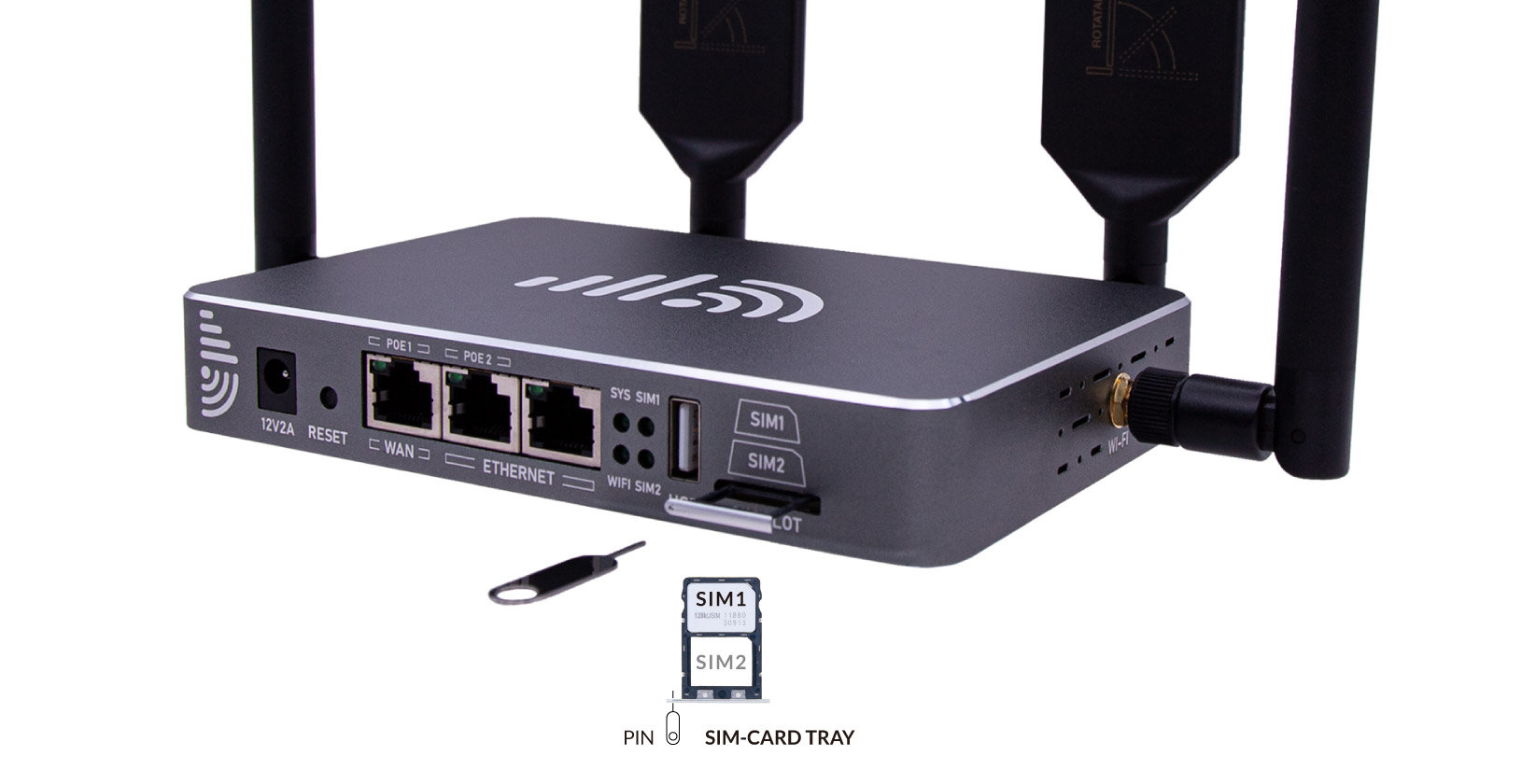
The 4G router uses Nano (4FF) SIM card to connect to mobile internet networks.
Nano SIM Card
Section titled “Nano SIM Card”Please use Nano-SIM cards (12.3x8.8mm) on the 4G router.
Please use an activated Nano SIM card in the G router. If you are going to use a new SIM card, please follow the instructions from the mobile carrier to activate the SIM card.

Insert SIM Cards
Section titled “Insert SIM Cards ”- Turn off the power before inserting SIM cards.
- Use the included SIM pin to push the pinhole gently until the SIM card holder pops out.
- Put the primary SIM card in the first SIM#1 slot. Ensure the notch is in the inside direction and the pins face down. There is only one correct way to settle the Nano SIM card into the cardholder.
- Carefully reposition the SIM card holder in the slot and push it back gently.